
Your daily operating system
See your company at a glance.
Goals, actions, data, performance and rewards in one place. The owner sees where things stand; each person sees what to do today and what the agreed rules calculate it is worth.
- The owner sees the whole
- Each person sees their own
- Rewards calculated by agreed rules
- 12-month subscription
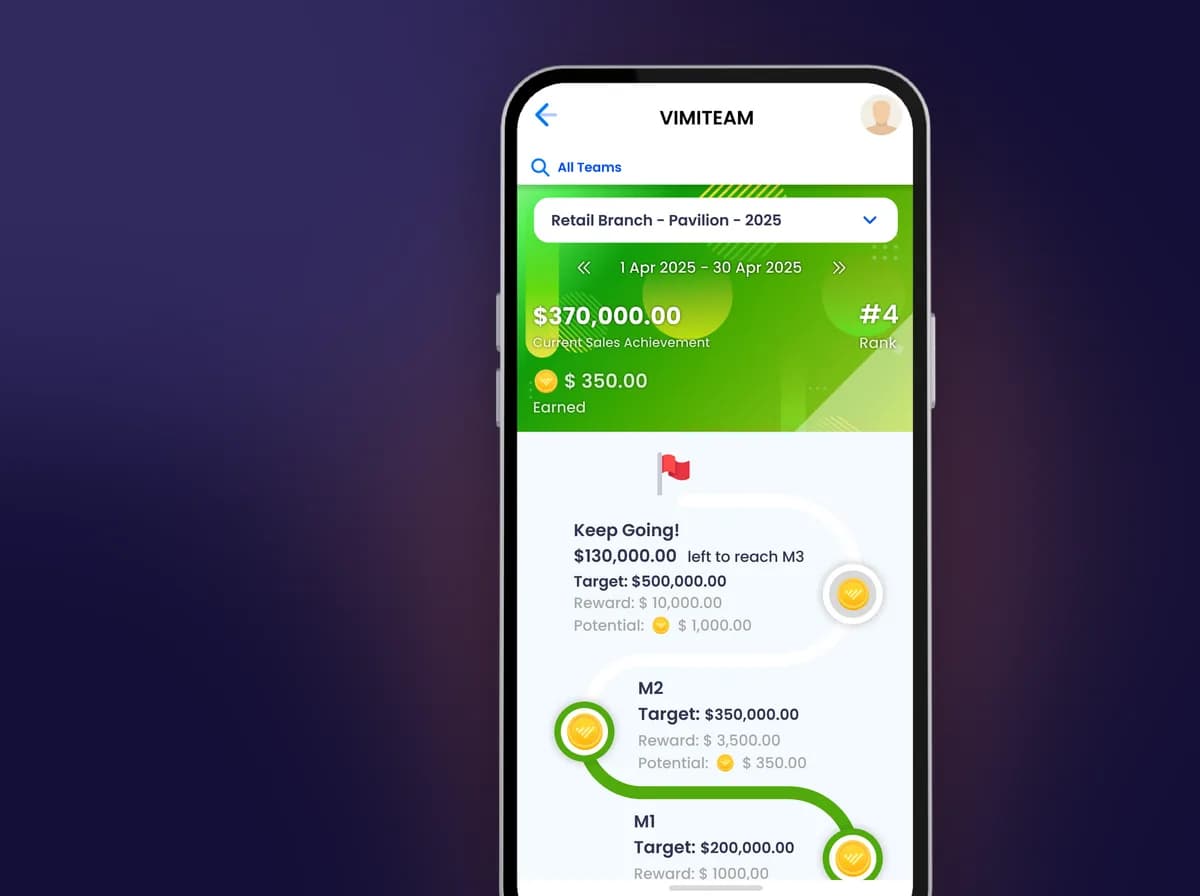
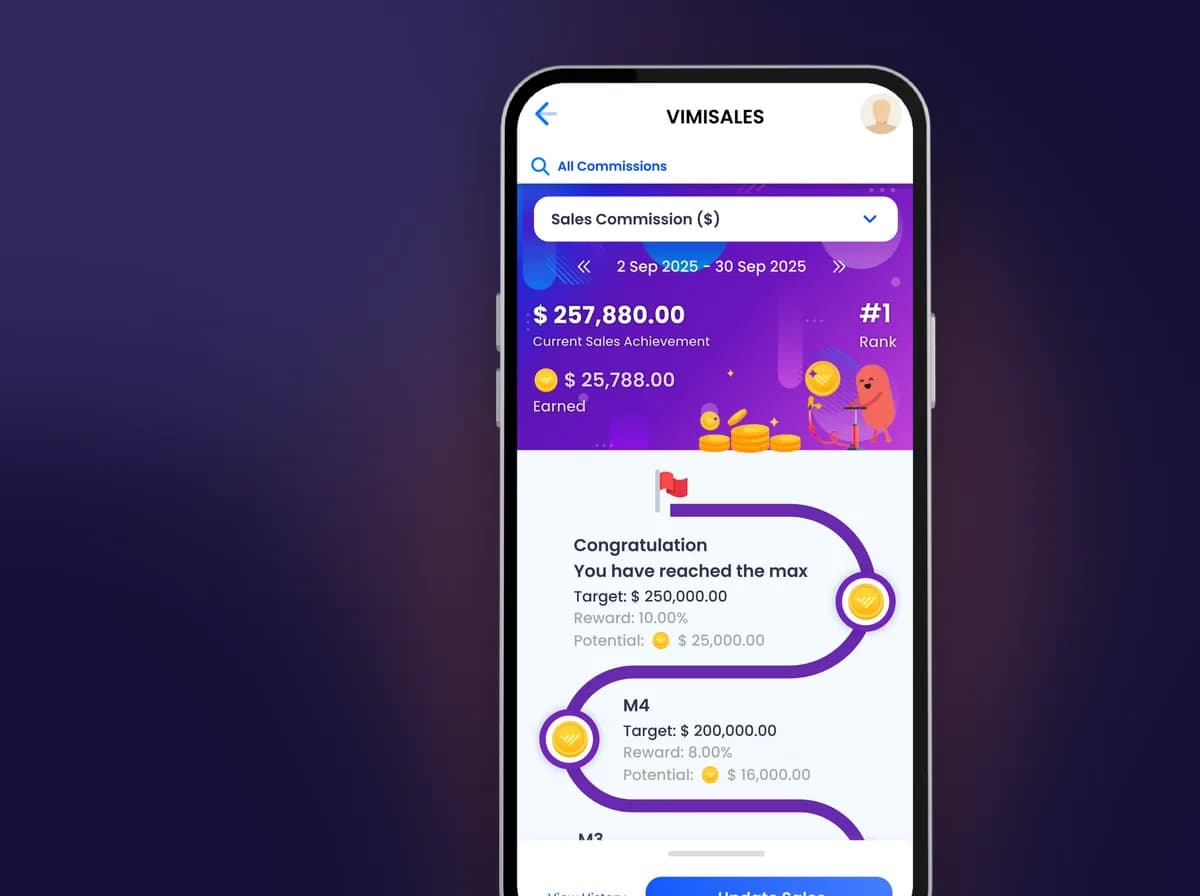
The vimigo app on two phones: a staff member’s reward balance in vimiBank, and their progress against a sales target.
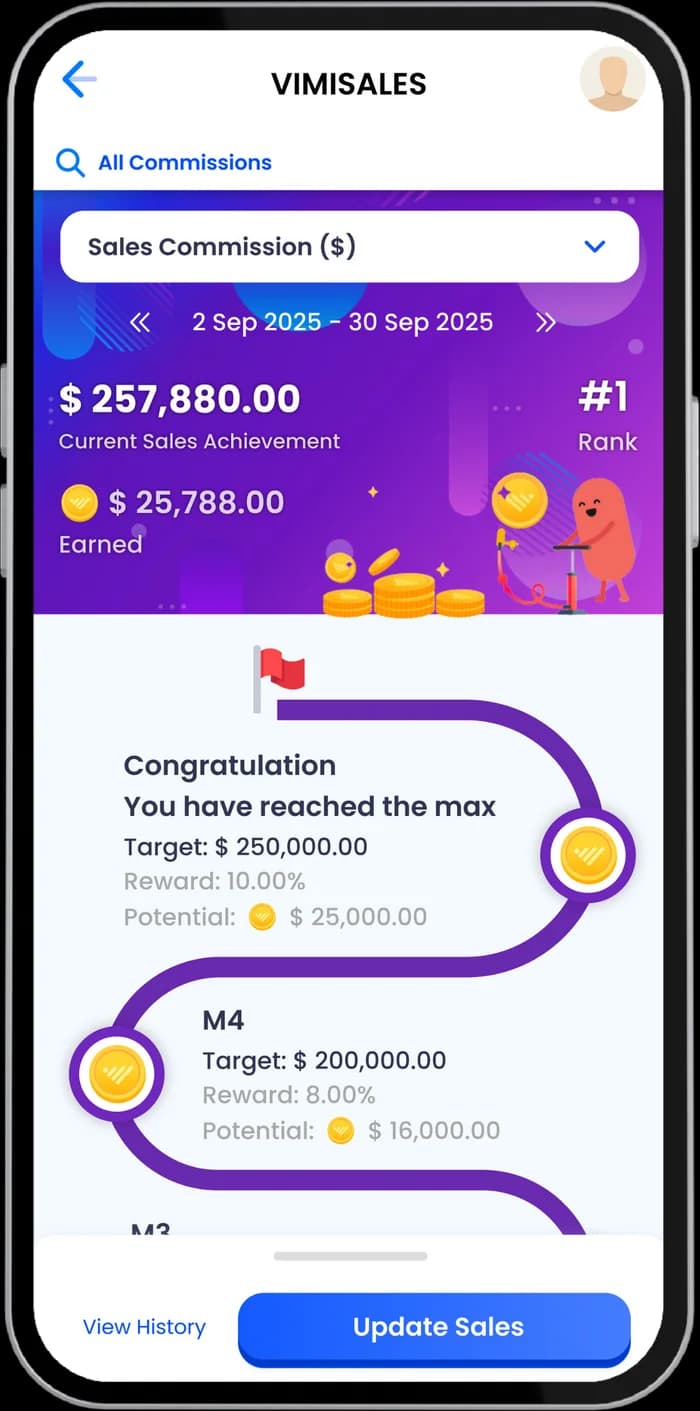
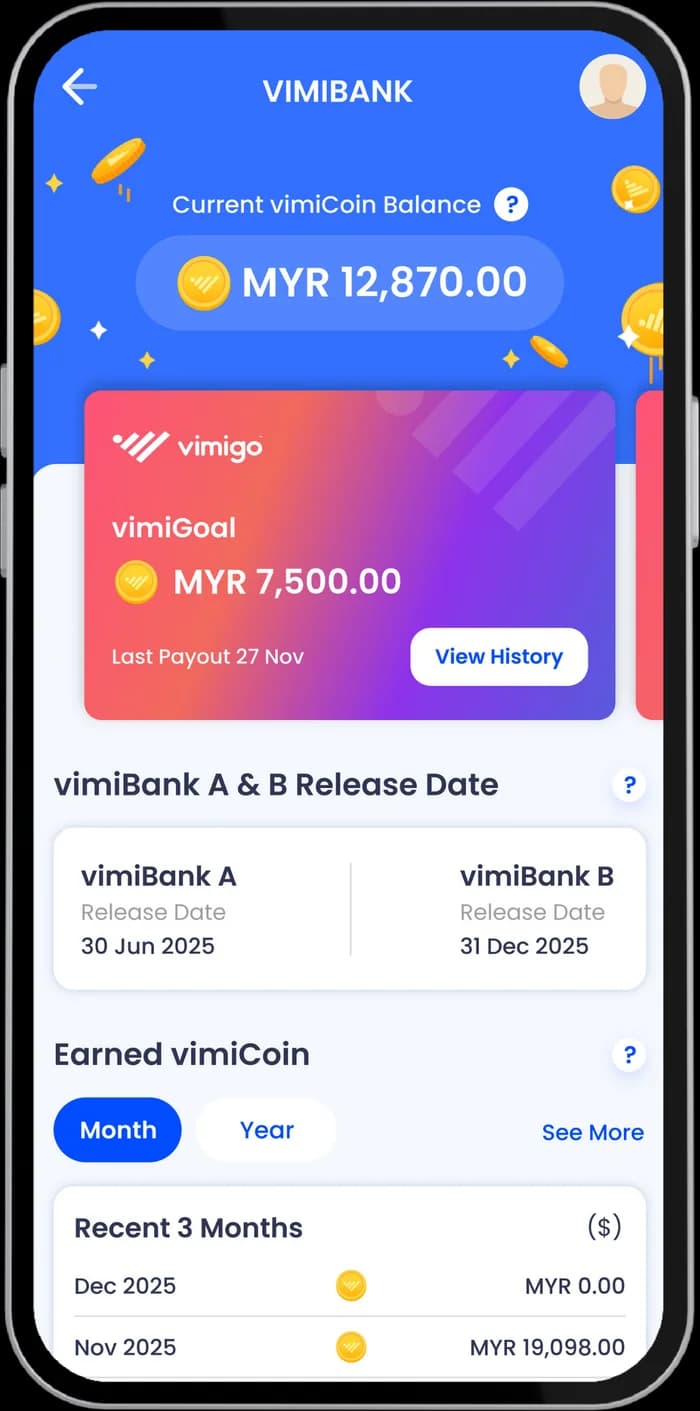 Sample data, not a real customer
What this system is
Goals, actions, performance and rewards, recorded and reviewed every day.
Goals, actions, performance information and reward mechanisms are scattered across meetings, spreadsheets and disconnected tools.
vimigo Software connects them and carries the company’s daily execution and management. You do not have to replace the software you already use: it runs alongside your existing systems. vimigo for Team builds the goals, ownership and 90-day action table; the CVO Programme grows the person inside your company who keeps it moving.
01Owner
How is the company doing?
See progress and what is off, and know where to step in.
02Manager
Who do I follow up today?
Review on a fixed rhythm instead of waiting for the boss to ask.
03Staff
What do I do today, and what is it worth?
See your own goals and what the agreed rules calculate they are worth.
The owner sees the whole, each person sees their own. Screens show sample data, not a real customer.
- Subscription plan
- See pricing
What customers say
Rules written down, management a lot easier.
What customers said after using the system.
“I found that once some things became transparent, management got a lot easier: not so much gossip, no need to guess how much he earns, no need to guess whether he gets a bonus, because it is all written down clearly.”
Kiki Che · Founder · VK3D Studio
Watch the video“Using a game method to get every employee to reach their targets on their own initiative.”
Daisy Pang · Marketing Manager · Vibrance
Watch the video“Without this app, I think that once we are back at the company we are just busy up and down, busy up and down, and then what we learned in class, what we meant to do, gets pushed aside.”
Connie Chua · Founder · BK Ideal Edu
Watch the video“After using vimigo Apps, I found the bad apples disappearing from our company, and more good apples being made instead.”
Ms Liang YC · Representative / Executive · GM Communication
Watch the video
How a reward is worked out
From goal to reward, every step is visible.
Rewards are calculated by rules agreed in advance, and each person can see the result.
- 01
Your company sets the rules
You decide who sets goals and approves rewards
- 1Employer
- 2HR / Administrator
- 3Manager
- 4Staff
You choose what each role can see, edit and approve.
- 02
It runs every day
Every day, in one system

Business data the owner sees the whole
- Goalsdown to owners
- Actionsrecorded daily
- Resultsverifiable
- Rewardsby agreed rules
Goals, actions, results and rewards are recorded daily; rewards are calculated by rules agreed in advance.
- 03
A period closes
When a period closes
- 1vimigo calculates what each person has earned
- 2It is recorded in vimiBank
- 3Your company processes the payout, for example through payroll
- 4And marks it as paid

We only make rewards clear and every rule fair: the owner does not pay the wrong amount, and staff feel it is fair too.
Book a Company Diagnosis (opens in a new tab)- What vimigo does
- Records the rules, calculates what each person has earned and makes it visible.
- What your company does
- Decides and pays the reward. vimigo does not pay your staff.
- What AI does
- Assists agreed workflows, analysis and execution. People review important decisions.
What is in the system
Six layers, one system.
From direction to daily work, in one daily system.
Direction and goals
Break the company direction into dates, owners and goals.
- vimiGoal
- Vision & Mission
- vimiRoadmap
Daily performance
Record verifiable results, team goals and challenges.
- vimiSales
- vimiTeam
- vimiChallenge
- Leaderboard
Rewards and recognition
Record contribution, incentives and the reward budget by your company’s rules.
- Diamond
- vimiBank
- vimiReward
- vimiBonus
- vimiBadge
- Employee Welfare Fund
- Gamification Rewards
Talent and growth
Staff growth, knowledge transfer, reviews and recognition.
- vimiClass
- vimiReview
- vimiKnowledge
HR operations
Less friction in basic people operations.
- vimiCheck-In
- vimiLeave
- MyHR
Management view
The owner sees what is off, managers chase actions, staff know what matters.
- Data dashboards
- Reports
- Role permissions
What people see on their phones
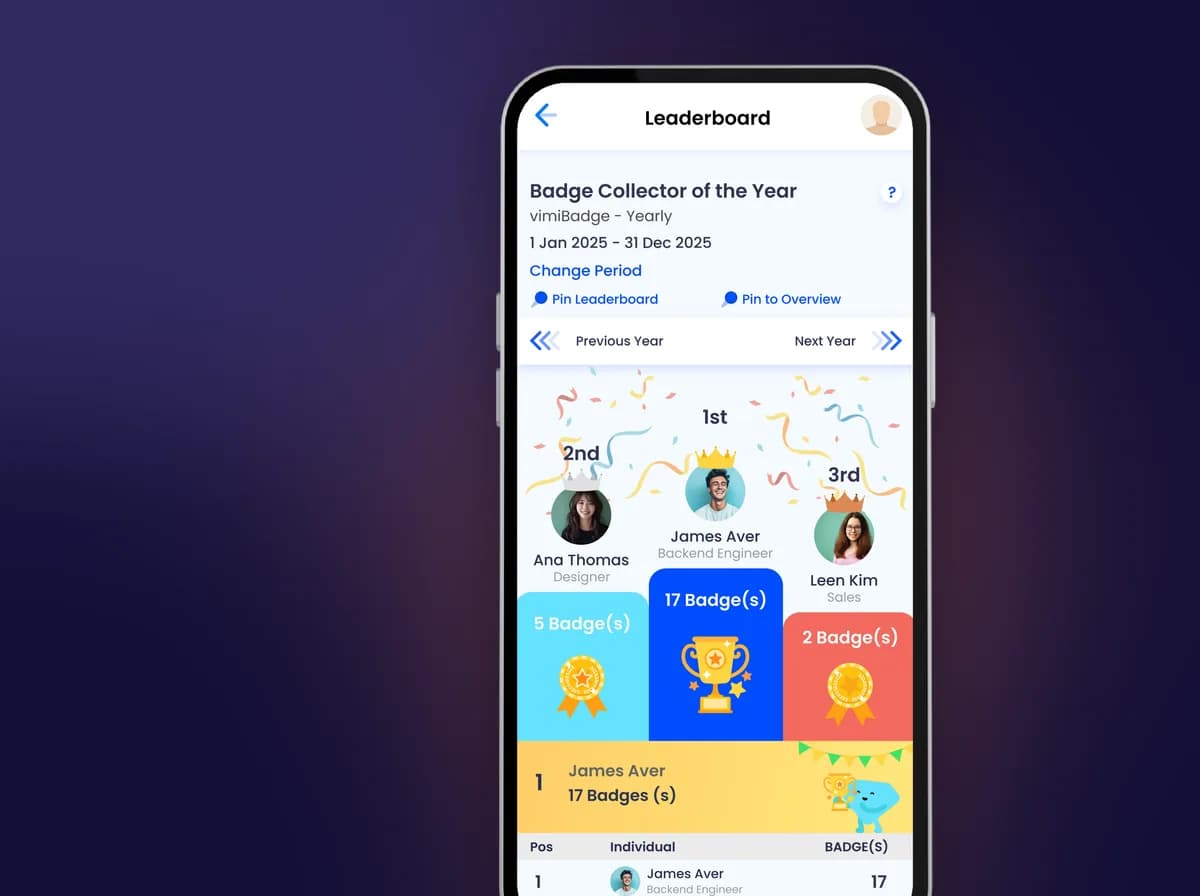
Real app screens with sample data, not a real customer.
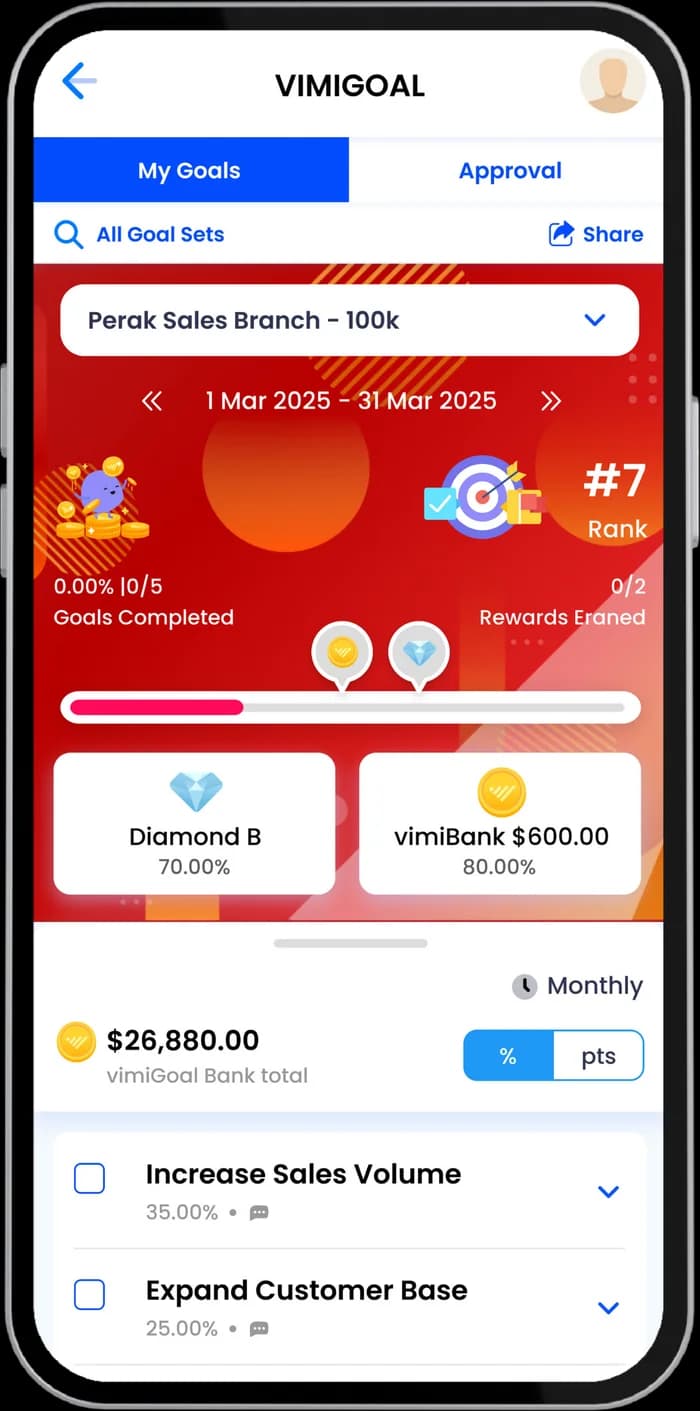
vimiGoal
Make goals and rewards clear
vimiSales
Earn more, get more
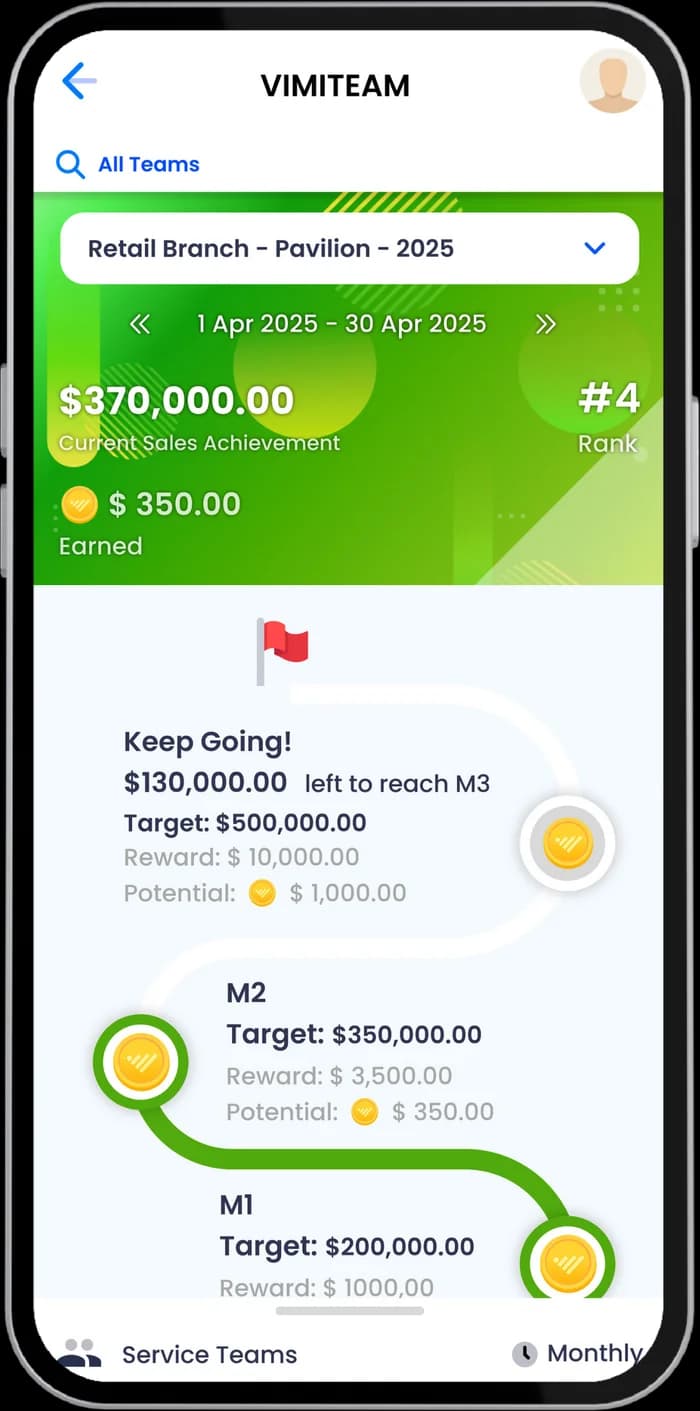
vimiTeam
Align the interests of all departments
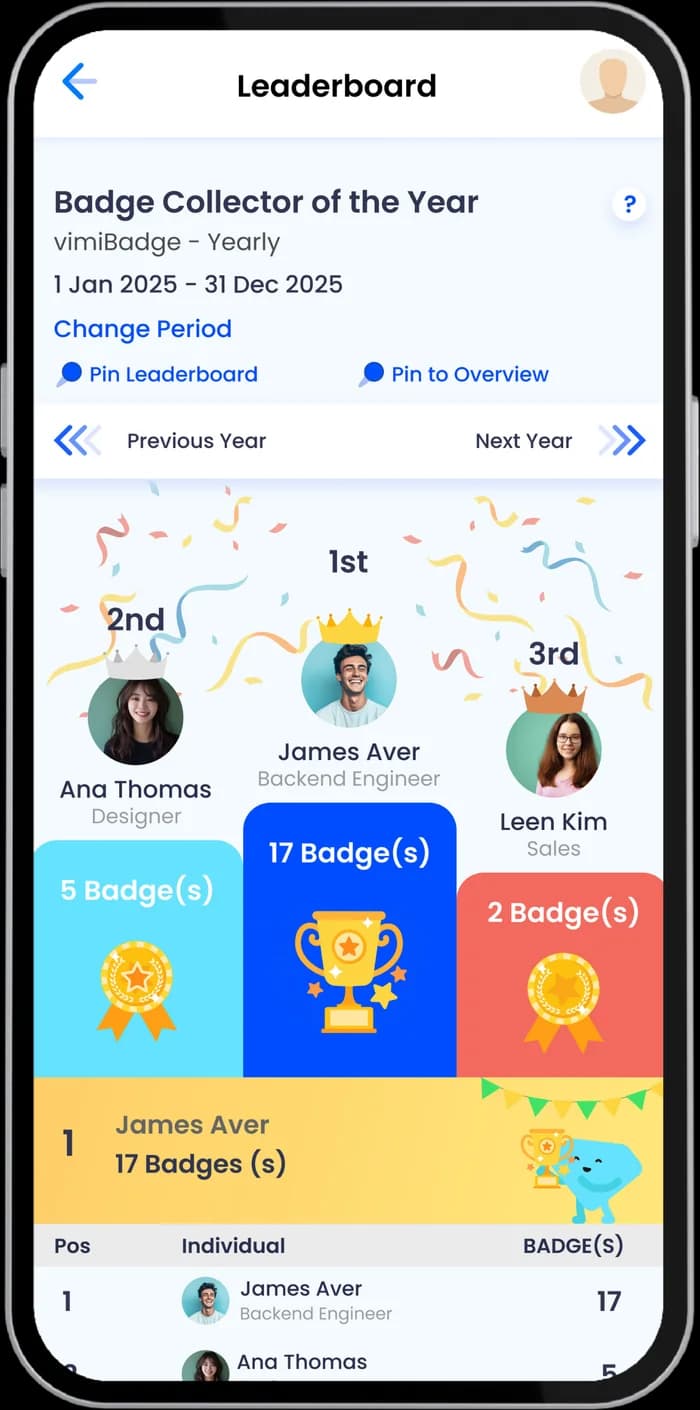
Leaderboard
Performance ranking in one view
vimiBank
A future account for staff
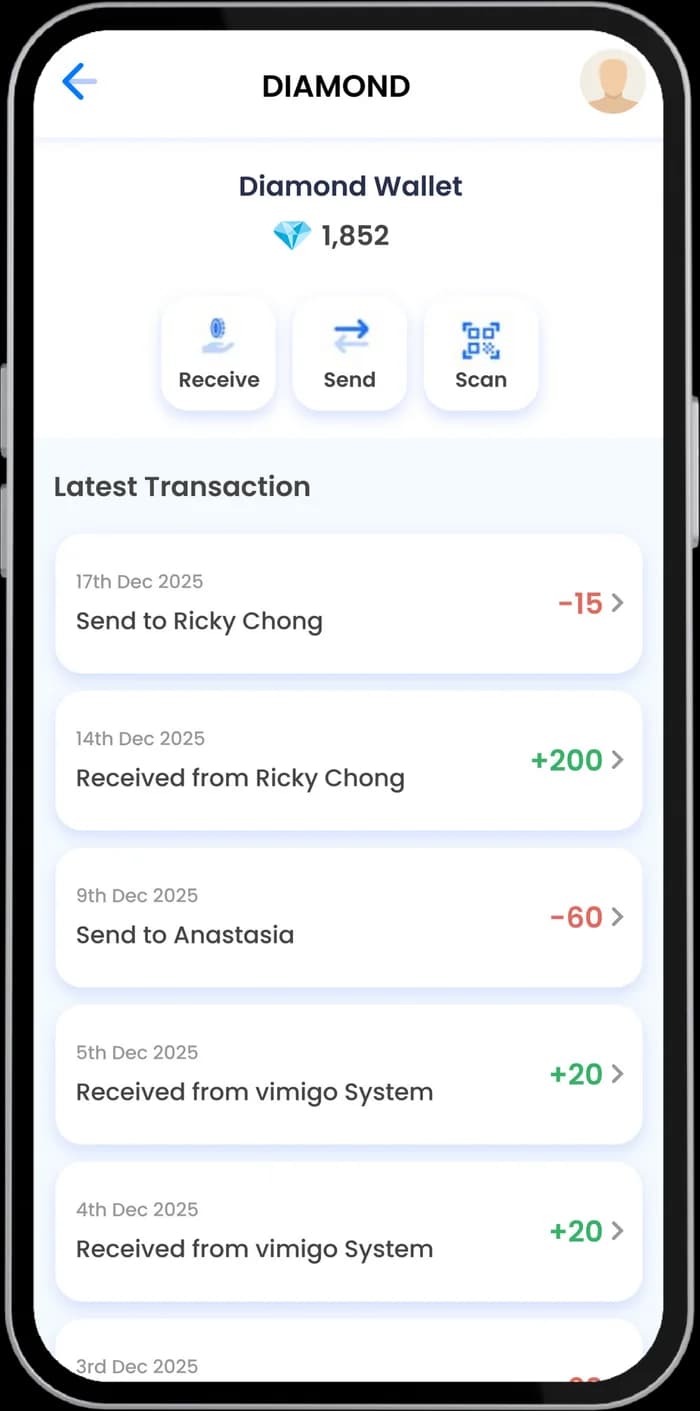
Diamond
Your company’s reward points
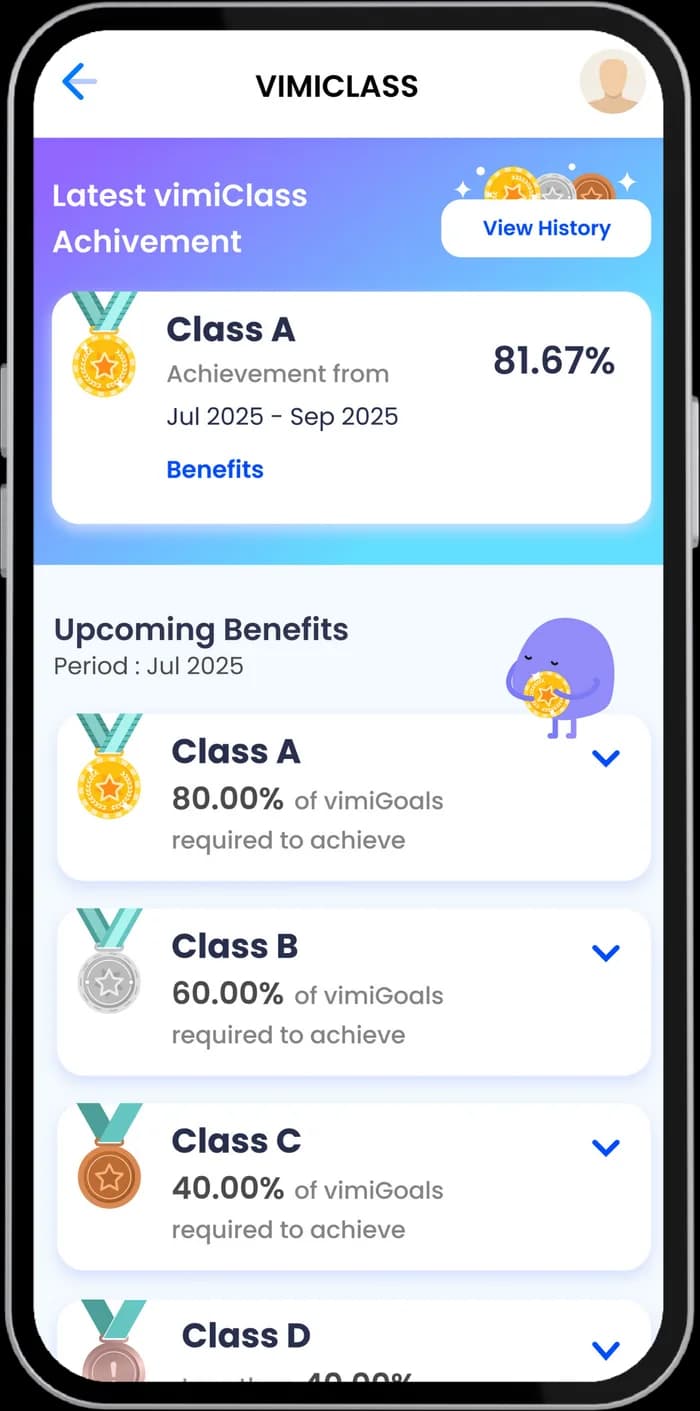
vimiClass
The right rewards to the right people
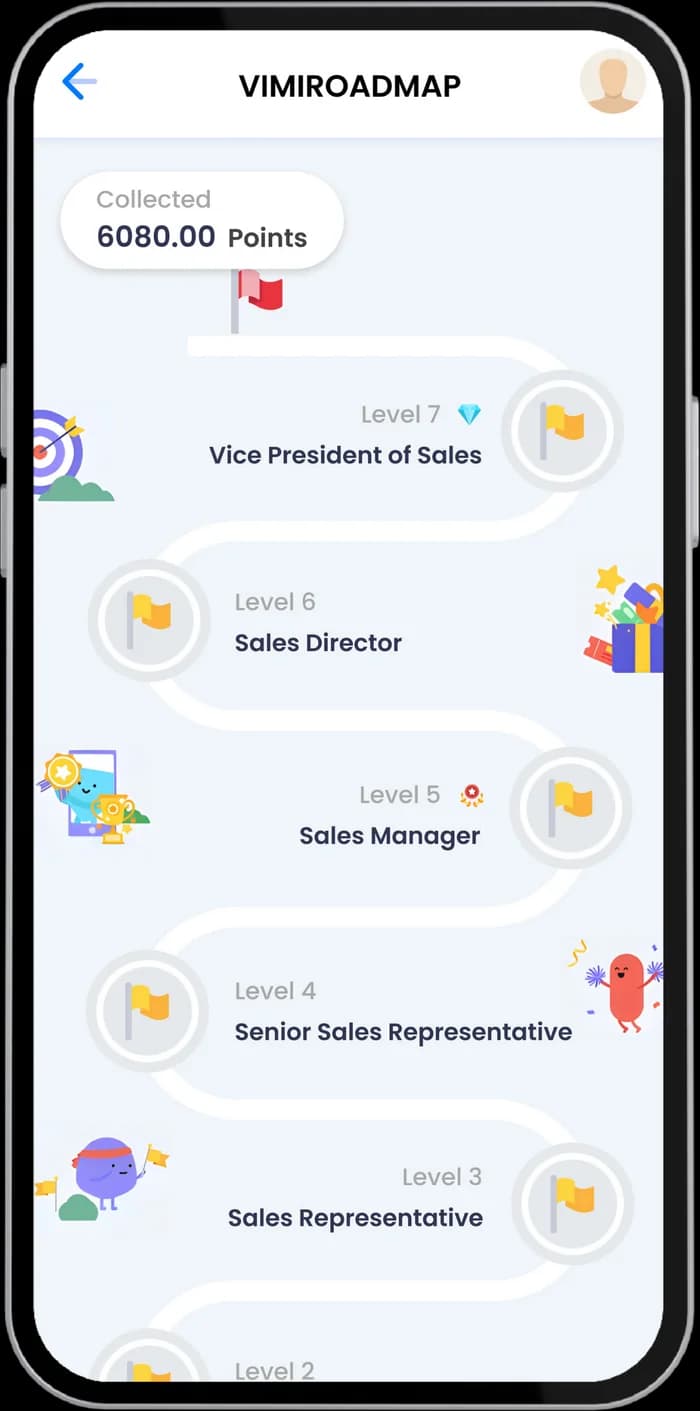
vimiRoadmap
Help staff see their future
System connection
How this product connects to the rest of vimigo
Receives from
The direction, blueprint, ownership model and agreed workflow signals. A company can also start with the software first.

Connects to
It supports every vimigo product by making goals, execution, performance, rewards and agreed AI-workflow signals visible in daily work.

Feedback created
Operating data returns to the CEO, team, CVO and AI workflow reviews so people can confirm the next decision.

Before you decide
What you bring, what is not included, how progress is measured.
What you bring
- Your company profile, working times, holidays, leave types, departments and a staff list — and one person on your side who owns the setup.
What is not included
- vimigo does not pay your staff. The system records the rules, calculates what each person has earned and makes it visible; your company decides and pays the reward. Connections to your other systems are confirmed per connection.
How progress is measured
- The team actually using it, goals and sales recorded as they happen, rewards calculated from real data, and an owner’s view that shows where the company stands each day.

How vimigo delivers
Forward-Deployed Transformation Loop
vimigo works alongside business owners, operators and the people inside the company who will run it, across the journey.
FAQ.
Got questions?
Do we have to replace the software we already use?
No. vimigo Software runs goals, performance and rewards alongside your existing systems.
Once connected, your POS, CRM or accounting system can send each sale to vimigo, so staff see their commission update without anyone entering the sale twice. Without a digital sales system, sales are entered in vimiSales directly.
Who sets goals and approves rewards?
You decide. Every company starts with four roles — Employer, HR / Administrator, Manager and Staff — and you choose what each role can see, edit and approve.
For a single goal or sales record, you can also name specific approvers without giving them company-wide approval rights.
Does vimigo pay my staff directly?
No. When a vimiGoal, vimiSales or vimiTeam period closes, vimigo calculates what each person has earned and records it in vimiBank. Your company then processes the payout, for example through payroll, and marks it as paid.
Diamonds are reward points staff redeem in your own company rewards catalogue. You set what a diamond is worth.
What do we need to get started, and how long does setup take?
Your company profile, working times, holidays, leave types, departments and a staff list. With the staff list ready as an Excel file, the first day of setup usually takes 2–4 hours.
Setup then follows a first-7-days plan, turning on one part of the system each day, and your Customer Success Manager guides you through it.
Do we need every module from day one?
No. Most companies start with diamonds, the rewards catalogue and one simple goal, and add modules such as vimiClass or vimiBank after two to three months, once the team has the habit.
Find the right starting point, then agree the scope.
Already a customer? Log in to vimigo